District Light Login Guide – Access Your Account on Mobile and Desktop
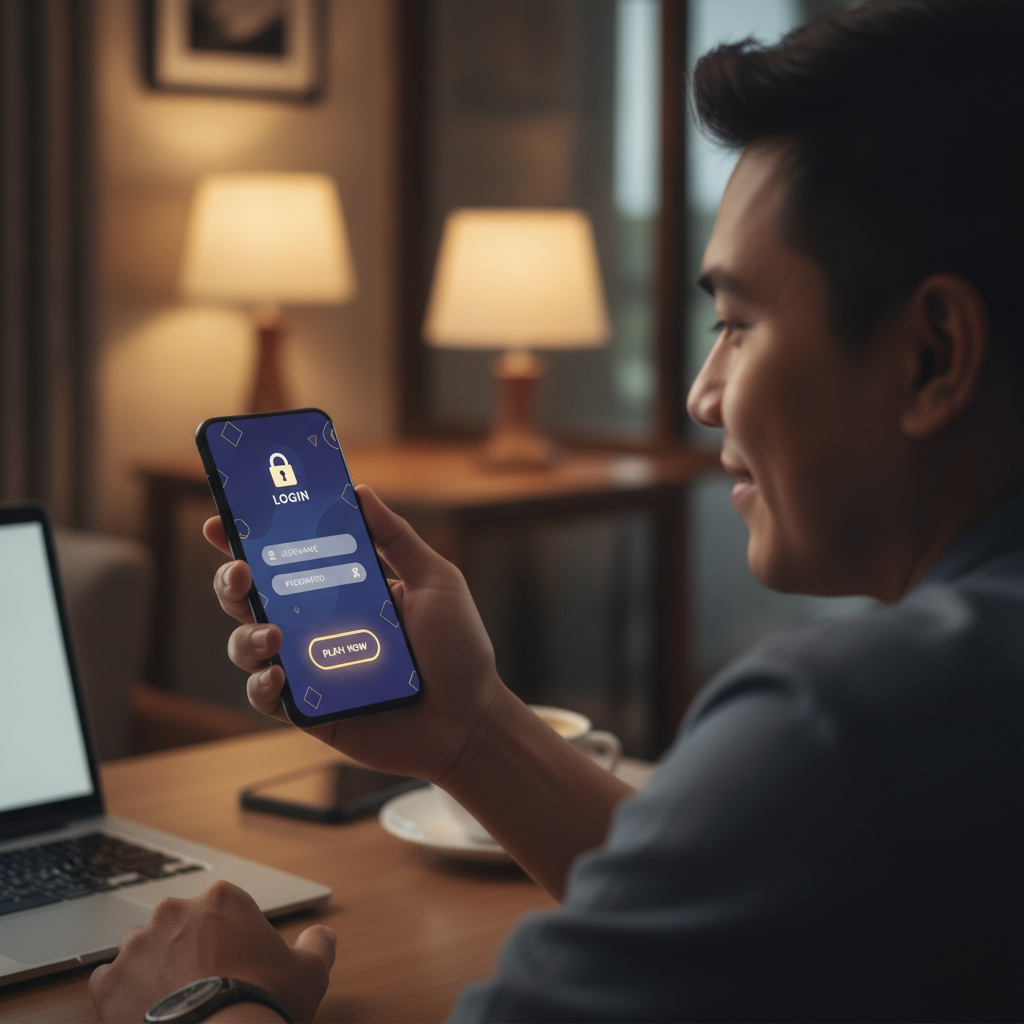
How to Log In to District Light on Android Mobile Browser
Most Filipino players access District Light through their Android phones. The mobile browser login is straightforward once you know where to find the button.
Open your preferred mobile browser—Chrome, Firefox, or Safari all work. Type the District Light web address into the URL bar or tap the bookmark if you saved it during registration.
Once the homepage loads, look for the Log In button in the top-right corner of the screen. On some mobile layouts it appears as a small icon or abbreviated text to save space. Tap it.
You'll see two fields:
- Username or email – Enter the username you chose during District Light registration, or the email address you registered with
- Password – Type your password exactly as you created it, including capital letters, numbers, and symbols
Double-check your spelling before tapping the Log In or Sign In button below the fields. If your credentials are correct, District Light loads your account dashboard, showing your peso balance, recent bets, and quick links to slots, live dealer tables, and sports betting.
Tip for faster mobile login: Most Android browsers offer to save your username and password. If you're the only person using your phone and you keep it locked with a PIN or fingerprint, this feature saves time. Just make sure your phone's screen lock is active.
If the homepage doesn't load properly or looks broken, clear your browser cache or try a different browser. Older Android versions occasionally have display issues with newer casino sites.
Desktop Login Steps for PC Users
Players who prefer a larger screen or want to bet while at home can log in from a Windows or Mac computer.
Open any modern web browser—Chrome, Edge, Firefox, and Safari all support District Light. Navigate to the District Light homepage by typing the URL into the address bar.
The desktop layout is wider than mobile, so the Log In button is easier to spot. It sits in the upper-right corner of the navigation bar, usually next to a Register or Sign Up button.
Click Log In. A login form appears, either as a pop-up overlay or on a new page. Fill in:
- Username or email address
- Password
Some desktop login forms include a Remember Me checkbox. Ticking this box keeps you logged in for future visits, so you won't need to enter your password every time. Only use this feature on a private computer that no one else accesses.
Click the Log In button. District Light verifies your credentials and redirects you to your account. From there you can deposit pesos via GCash or Maya, browse the slots library, join a live baccarat table, or place a bet on the next PBA game.
If you see an error message like "Invalid username or password," re-enter your details carefully. Passwords are case-sensitive, so "Password123" is different from "password123."
What to Do If You Forgot Your Password
Forgotten passwords are common, especially if you set a complex one during District Light registration and haven't logged in for a while.
On the District Light login page—mobile or desktop—look for a link labelled Forgot Password?, Reset Password, or something similar. It's usually placed below the password field or at the bottom of the login form.
Tap or click that link. District Light asks for the email address you used when you registered. Type it into the field and submit the form.
Check your email inbox within a few minutes. District Light sends a password-reset message with a link. If you don't see it in your main inbox, check your spam or junk folder—some email providers mistakenly filter casino messages.
Click the reset link in the email. It opens a District Light page where you can create a new password. Choose a strong password that:
- Is at least eight characters long
- Mixes uppercase and lowercase letters
- Includes at least one number
- Contains a special character like @, #, or $
Avoid obvious choices like "password," your birthday, or "district123." Write your new password down somewhere safe, or save it in your phone's notes app if your device is locked.
Once you've set your new password, return to the District Light login page and sign in with your email and the new password. You should reach your account dashboard without any issues.
If the reset email never arrives: Wait at least 10 minutes, then check your spam folder again. If there's still nothing, contact District Light customer support through live chat or the help section. They can verify your identity and issue a manual password reset.
Security Tips for Protecting Your District Light Account
Your District Light account holds real money—your peso deposits, any bonus credits, and your betting history. Keeping it secure protects both your funds and your personal information.
Use a Strong, Unique Password
Don't reuse the same password you use for Facebook, email, or GCash. If one service gets hacked, attackers will try that password everywhere. Create a unique password for District Light.
A strong password example: DL#manila2024! (mix of letters, numbers, and symbols, not based on obvious personal details).
Never Share Your Login Details
District Light will never ask for your password via text, email, or social media. If someone claiming to be District Light support requests your password, it's a scam. Legitimate support staff can access your account without needing your credentials.
Don't share your username and password with friends or family, even if they want to "just place one quick bet." Every login from a different device can raise security flags, and you're responsible for all activity on your account.
Log Out After Each Session on Shared Devices
If you ever log in to District Light on a friend's phone, an internet café computer, or any device that other people use, always log out completely when you're done. Look for the Log Out or Sign Out button, usually found in the account menu or profile dropdown.
Closing the browser window isn't enough—your session may stay active, allowing the next user to access your account.
Enable Two-Factor Authentication If Available
Some online casinos offer two-factor authentication (2FA), which requires a one-time code from your phone in addition to your password. Check District Light's account security settings to see if this option is available. It adds an extra layer of protection, especially if someone learns your password.
Keep Your Email Secure
Since password resets and account notifications go to your registered email, make sure that email account is also protected with a strong password and 2FA if possible. If someone hacks your email, they can reset your District Light password and lock you out.
Watch for Phishing Links
Scammers sometimes send fake emails or text messages with links that look like District Light but lead to copycat sites designed to steal your login. Always type the District Light URL yourself or use a bookmark. Double-check the web address in your browser bar before entering your password.
Update Your Password Periodically
Every few months, consider changing your District Light password, especially if you've logged in from multiple devices or public Wi-Fi. Regular updates reduce the risk of long-term unauthorized access.
21+ Only and Play Responsibly
District Light is strictly for players aged 21 and over. By logging in, you confirm you meet the legal age requirement in the Philippines.
Gambling should be an occasional form of entertainment, not a way to make money or solve financial problems. Set a budget for your deposits and stick to it. If you find yourself chasing losses or betting more than you can afford, take a break.
District Light provides account tools to help you stay in control, including deposit limits and self-exclusion options. You can find these in your account settings. If you or someone you know needs support with problem gambling, consider reaching out to a local helpline or counselling service.
Play responsibly, protect your login credentials, and enjoy District Light's slots, live dealer games, and sports betting on PBA, NBA, and volleyball within your means.
Quick recap: Whether you're on an Android phone or desktop PC, District Light login takes just a few seconds once you have your username and password ready. If you ever forget your password, the reset process is simple—just check your email. Keep your account secure by using a strong, unique password, logging out on shared devices, and watching for phishing scams. District Light is for players 21 and over, and responsible gambling practices help keep the experience fun and safe.